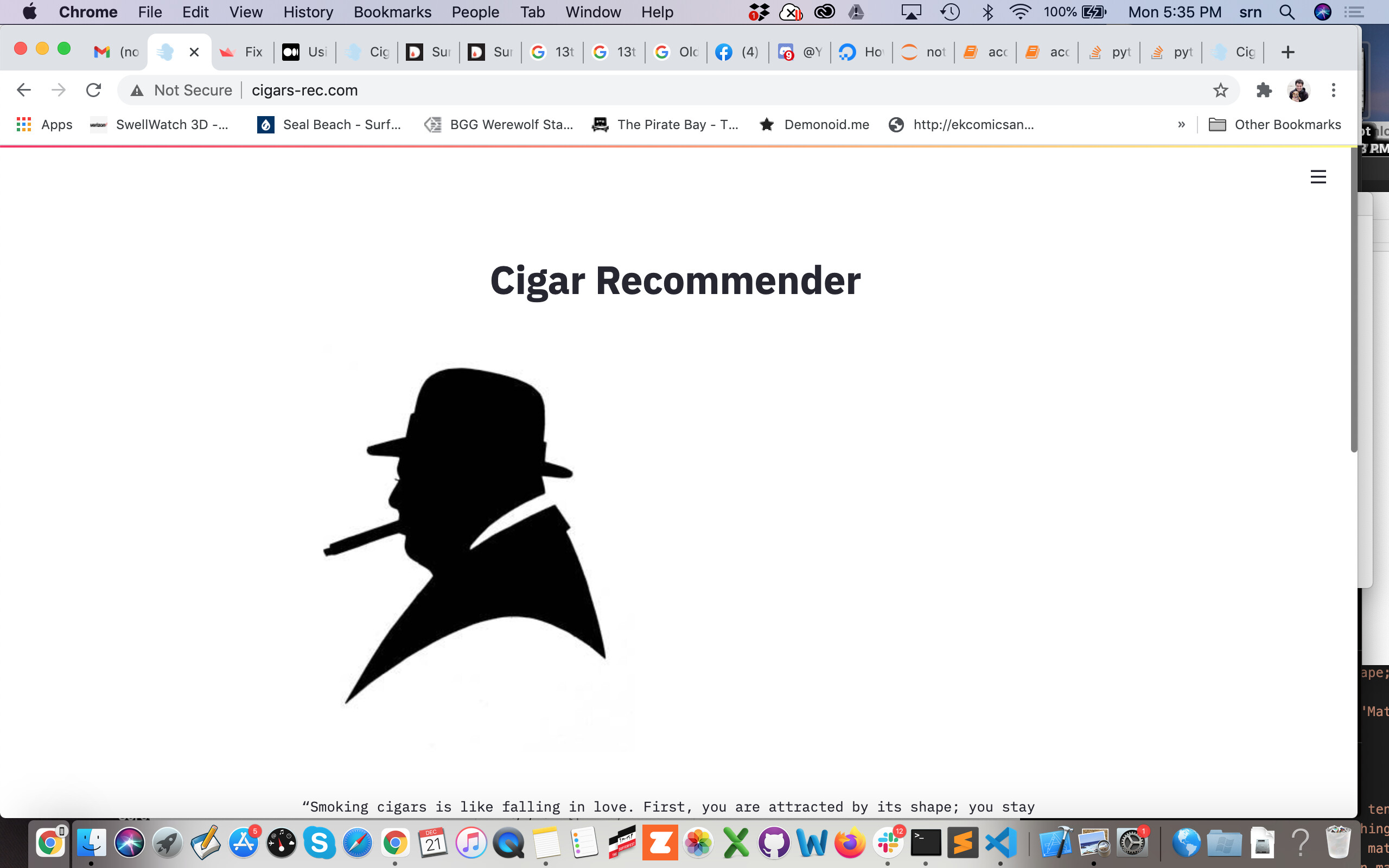
My app slides left/right on mobile. http://13.58.1.217:8501/
I noticed when viewing this app on mobile it does not slide and it fits the screen.
Is there a setting I can use to correct it?
My app slides left/right on mobile. http://13.58.1.217:8501/
I noticed when viewing this app on mobile it does not slide and it fits the screen.
Is there a setting I can use to correct it?
Update my app is hosted here: https://cigar-recommender.herokuapp.com/
Hey @chefnewman,
I just tried the herokuapp link you sent on my mobile device and its working fine, there isn’t any sliding left or right. I’m on Android version 9.
Cheers,
Marisa
Thank you for responding.
I guess it’s different on the Iphone. See the video here: https://twitter.com/SteveNewmanDS1/status/1334937240221470725
The strange thing is when I open the other app mentioned above on my Iphone it doesn’t slide left/right when opened. After selecting variables and running the app it does shift left/right to accommodate the graphs.
That makes me think that the select box or something else on my app is larger than the Iphone screen width?
Iphone Xs Max 14.2
I even tested taking the img out and it still slides here http://cigars-rec.com/
I did a series of tests eliminating one of each in the above screenshot at a time and it seems like col1, col2, col3 = st.beta_columns([1,1,1]) is causing it to slide.
I need to keep that because on a desktop it looks like the attached screenshot.
Do you know of any way to solve this?
Hey @chefnewman,
Are you using the st.set_page_config(layout='wide') setting by chance? Is that why you need the 3 columns but only use the centre one?
If you remove this then the default app setting will be centered and it looks exactly as you have it (one centered column down the middle, actually I assumed that this was the setting you had it on). When you use the wide configuration it changes from a centered column layout to left justified.
Let me know if this works!
Marisa
I do have st.set_page_config(page_title="Cigars-Rec", page_icon="💨" , layout="centered")
Would it be any different if I left layout out?
With layout ="centered" and without the 3 columns - it left justifies.
When I use the default layout and st.image(img, use_column_width=True) the image is huge but centered.

Hey @chefnewman,
OK im finally starting to see the full picture here (no pun intended!  ).
).
So the real underlying issue is that your picture isnt centered (or turns out really big) when you don’t use the columns. BUT using the column is causing a horizontal wiggle when scrolling for people who use iPhones.
So the best way to fix that is for me to get my hands on a minimum working example to I can find the combination of settings that will work. Can you send me the link to your github or post the code with the pictures here so I can try a few things out?
Thanks!
Marisa
Thank you - I will private message you the GitHub because it is private as this is an affiliate site.
Hey Marisa,
I am dealing with the same issue you have described here.
Did you come up with any solution?
Thank you in advance :).
Hey @oltipreka,
We tried a couple of options, but none truely solved this. I will copy-paste the last message I sent:
"I tried a ton of options yesterday. I feel like this might need a css or markdown hack to get it working without using the columns. Unfortunately, I have no experience with css! 
If you know any html/css then you can actually wrap that code in the markdown command with the parameter of unsafe_allow_html like so: st.markdown("code", unsafe_allow_html= True) . I know others have used this to change some styling effects etc…
Sorry I haven’t been able to solve this for you! We are still expanding some functionalities and we are doing that as fast as possible."
We left it at a point where @chefnewman going to try a css/markdown option.
@chefnewman did you find a solution you were happy with, and if so could you post the code snippet you used?
Happy Streamlit-ing!
Marisa
@Marisa_Smith @oltipreka Unfortunately, I did not.
Hmmmm… I see.
Thank you anyway for the prompt reply…
Hey @chefnewman,
Oh! When I didn’t hear anything back I thought you had solved it!
Ok I took another crack at the markdown/html/css hack and I have two solutions for you:
<img> tag:buff, col, buff = st.beta_columns([1.3,3,1])
col.title("Cigar Recommender")
external_churchill = '<p style="text-align:center;"><img src="https://u7.uidownload.com/vector/244/762/vector-winston-churchill-svg-eps.jpg" alt="Image churchill" width = 300> </p>'
st.markdown(external_churchill, unsafe_allow_html = True)
this gives this output:
with open("figures/cigar.jpeg", 'rb') as f:
        image = f.read()

image_bytes = base64.b64encode(image).decode()
local_file = f'<p style="text-align:center;"><img src="data:image/jpeg;base64,{image_bytes}" alt="Image" width = 300> </p>'

st.markdown(local_file, unsafe_allow_html = True)
this gives:
here are some links that helped me with this:
Happy Streamlit-ing!
Marisa
Hi @Marisa_Smith,
That worked well with a few adjustments on the size and title - thanks!
https://cigar-recommender.herokuapp.com/
Do you have any updates on the ability to host this on streamlit share with my own domain?