Hi guys, im having a hard time here with streamlit when I try to to some navigations.
The main point here is that when the user logs in, the button of the login container, still remains on the top of the page and I really dont know how to deal with it.
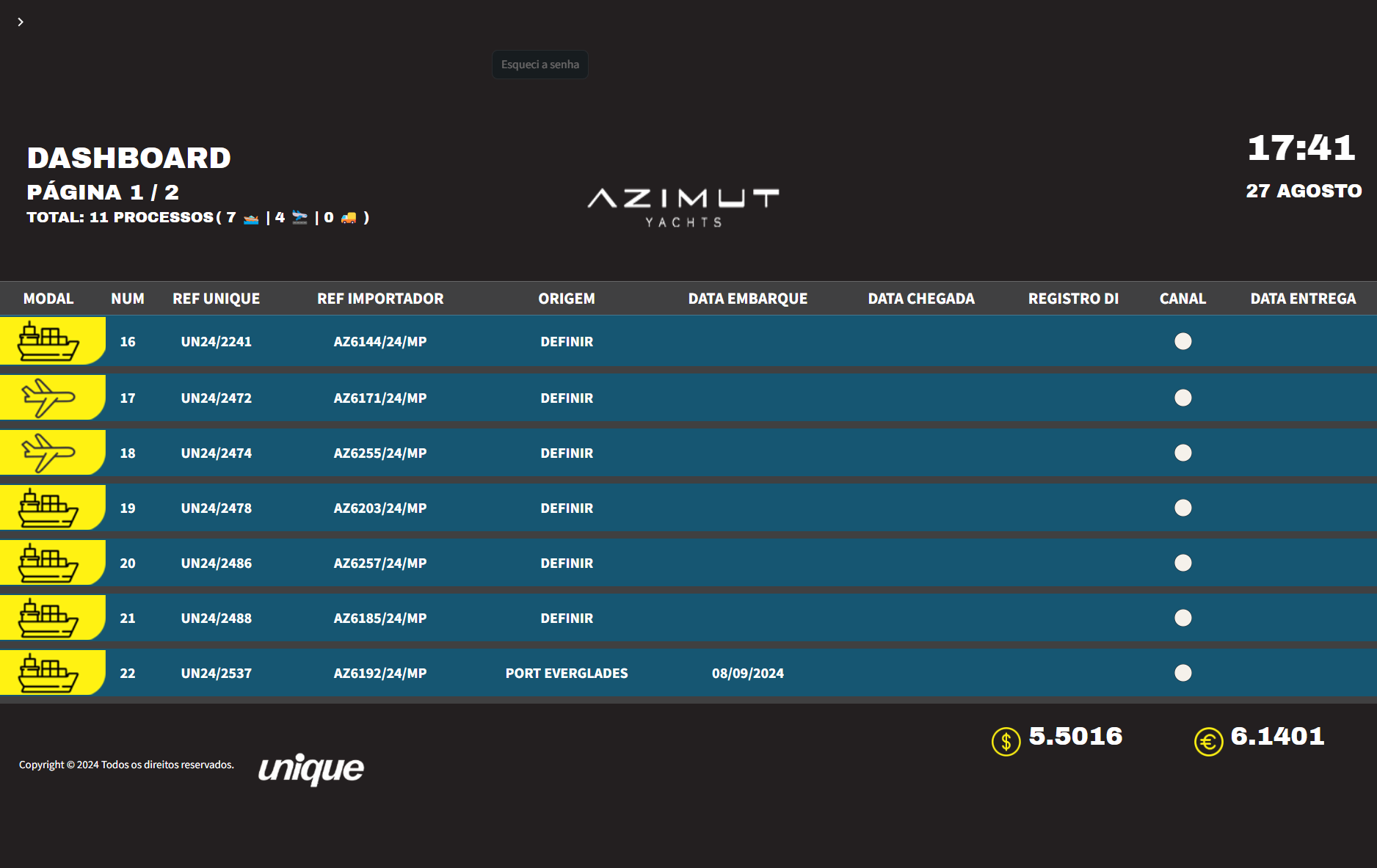
Sometimes the entire form is showing on the top of the page, only disappear when refreshinig, but when refresh, the button stay there ‘-’
pls I need help!
#Widget de login
spacer_left, form, spacer_right = st.columns([1,0.8,1])
if not st.session_state.recBool:
    with form:
        try:
            name, authentication_status, username = authenticator.login(location='main',fields={'Form name':'Login', 'Username':'Usuário', 'Password':'Senha', 'Login':'Login'})
        except KeyError:
            bqsync.clearCookie("login_cookie")
        with spacer_right:
            st.markdown("###")

if st.session_state["authentication_status"] == False:
    st.error('Usuário/senha incorretos')

elif st.session_state["authentication_status"] == None:

    if st.session_state.recBool:
        getRecoverContainer(form,authenticator)
    else:

        with spacer_left:
            st.markdown("###")
        with form:
            clearRecoverContainer(form)
            st.button("Esqueci a senha", on_click=toggleRecoverContainer)
        with spacer_right:
            st.markdown("###")


elif st.session_state["authentication_status"]:

    with form:
        st.markdown("")
    #Caso haja alguma alteração no username, o cookie é resetado
    try:
        urlImagemUsuario = authenticator.credentials['usernames'][username]['url_ext_logo']
        url = authenticator.credentials['usernames'][username]['api_url']
    except:
        bqsync.clearCookie("login_cookie")
        streamlit_js_eval(js_expressions="parent.window.location.reload()")
        st.stop()

    with open('style.css') as f:
        st.markdown(f'<style>{f.read()}</style>', unsafe_allow_html=True)

    dfRegistros, totalRecords, metricsModals, status_df = request_json(url)

    #Habilitar o cache caso não queira que fique carregando a tabela toda hora
    # @st.cache_data
    #LER O JSON E TRANSFORMAR EM UM DATAFRAME
    def get_data() -> pd.DataFrame:
        return dfRegistros
    dfRegistros = get_data()

    with st.sidebar:
        selected = option_menu(
            f"Olá, {username}",
                [
                    "Dashboard",
                    "---",
                    "Recuperar Senha"
                ],
            icons=
            [
                'house',
                'gear'
            ],
            menu_icon="list", default_index=0,
            styles={
                "container": {
                    "background-color": "#001e3c",
                    "border-radius": "0px"
                    },
                "icon": {"color": "white", "font-size": "20px"},
                "nav-link": {"font-size": "15px", "text-align": "left", "margin":"0px", "--hover-color": "#eee"},
                "nav-link-selected": {"background-color": "green"}
                }
            )
        authenticator.logout('Sair', 'sidebar')

    def convert_df(input_df):
        # Formatar as colunas MODAL e CANAL com a função image_formatter
        df_html = input_df.to_html(index=False, escape=False, formatters=dict(MODAL=image_formatter_modal, CANAL=image_formatter_canal))

        # Remover a classe 'dataframe' da tabela e adicionar a classe 'custom-table'
        df_html = df_html.replace('<table border="1" class="dataframe">', '<table class="custom-table">')

        # CSS customizado para a tabela
        css = """
            table.custom-table {
                border-collapse: collapse;
                width: 100%;
                table-layout: auto;
            }

            table.custom-table thead {
                background-color: #404041;
                color: white;
            }

            table.custom-table thead th {
                border: none;
                padding: 5px;
                text-align: center;
                font-weight: bold;
                font-size: 22px;
            }

            table.custom-table td {
                font-size: 20px;
                padding: 2px;
                text-align: center;
                font-weight: bold;
                border: none;
                height: 72px;
            }

            /* Primeira coluna com ícones */
            table.custom-table td:first-child {
                width: 160px;
                height: 75px;
            }

            table.custom-table tbody tr {
                background-color: #165672;
                color: white;
                border-bottom: 10px solid #404041;
            }

            /* Coluna 'NUM' */
            table.custom-table td:nth-child(2) {
                width: 10px;
            }

            /* Remover bordas laterais entre colunas */
            table.custom-table td, table.custom-table th {
                border-left: none;
                border-right: none;
            }

            /* Remover bordas laterais entre linhas */
            table.custom-table tr {
                border-left: none;
                border-right: none;
            }
        """

        # Adicionar o CSS e JavaScript ao HTML da tabela
        html_with_container = f"""
            <div class="table-responsive">
                {df_html}
            </div>
            <style>
                {css}
            </style>
        """

        return html_with_container

    # Função principal da aplicação
    if selected == 'Dashboard':
....
