Welcome to the Streamlit community and thanks for sharing your project! PruneIQ sounds like a fantastic use case for Streamlit and Snowflake integration, offering actionable cost insights with a user-friendly dashboard. From your description and the attached images, it could be possible that your app leverages Streamlit’s ability to connect securely to Snowflake using the Python connector and a read-only role, which aligns with best practices for data access and security. The modular design (Storage Analyzer, ComputeLens, QueryLens) and visualizations (like heatmaps and warehouse sizing) are well within Streamlit’s capabilities for interactive data apps, as Streamlit supports dataframes, charts, and custom layouts out of the box.
Though I’m not entirely certain, it might be that your approach—using Streamlit for the frontend and Snowflake’s ACCOUNT_USAGE schema for metadata—follows recommended patterns for building analytics dashboards in Streamlit, including secure secrets management and role-based access. For similar use cases, Streamlit documentation suggests using st.connection or the Snowflake Python connector, caching queries with st.cache_data, and visualizing results with st.dataframe and charting libraries. Your focus on cost ranking, copy-paste SQL fixes, and pre-execution analysis seems to extend Streamlit’s interactive features in a way that’s both practical and impactful for Snowflake users.

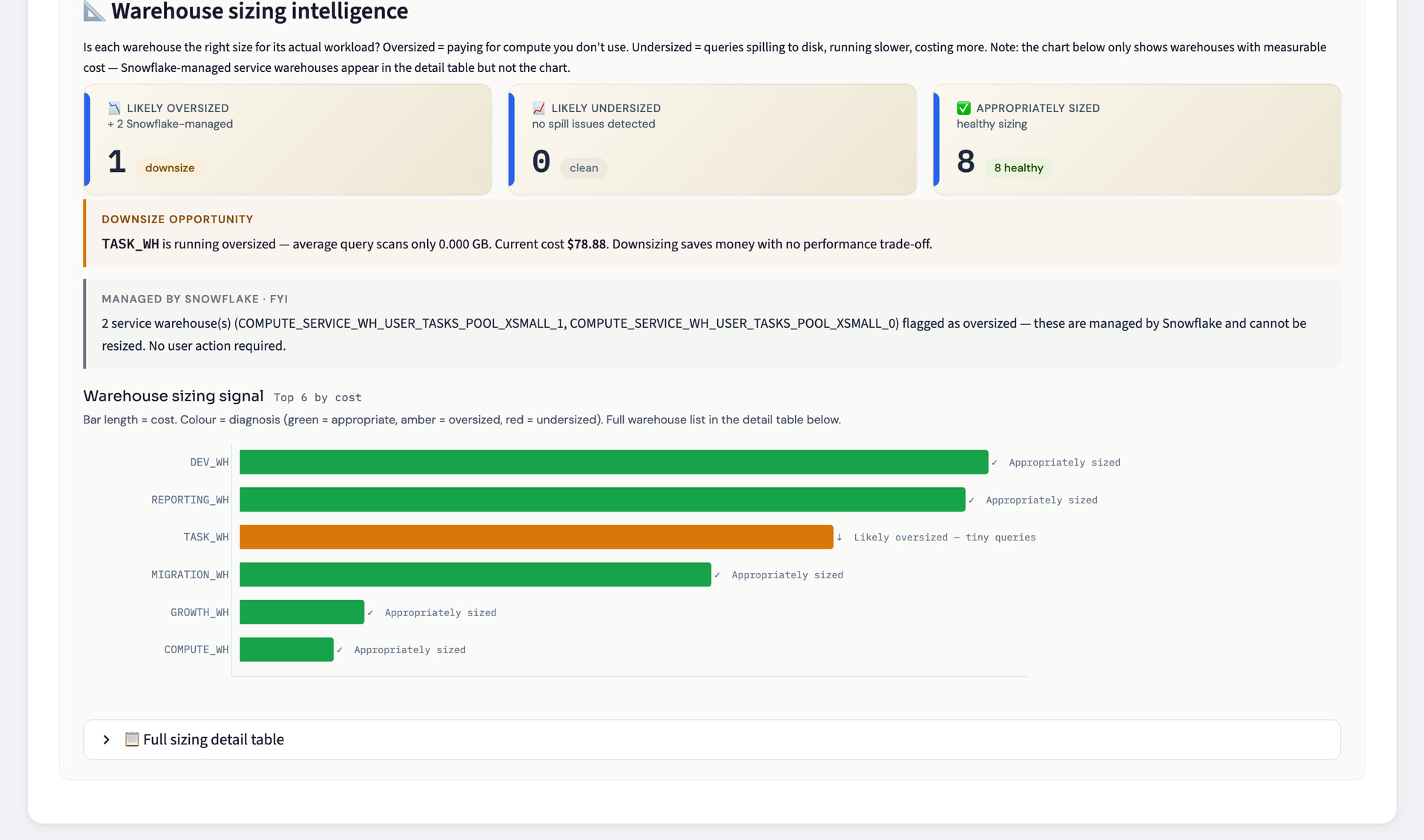

 PruneIQ sounds like a fantastic use case for Streamlit and Snowflake integration, offering actionable cost insights with a user-friendly dashboard. From your description and the attached images, it could be possible that your app leverages Streamlit’s ability to connect securely to Snowflake using the Python connector and a read-only role, which aligns with best practices for data access and security. The modular design (Storage Analyzer, ComputeLens, QueryLens) and visualizations (like heatmaps and warehouse sizing) are well within Streamlit’s capabilities for interactive data apps, as Streamlit supports dataframes, charts, and custom layouts out of the box.